Skip to content

General

Stuff that doesn’t fit in any other category

Who will win the Masters this year?

If you're a golf fan, these are the greatest four days of the year; it's time for the 2014 Masters. With Tiger Woods out this year, who will win? I honestly have no idea, but here's some interesting history.

Tiger Woods has missed only four majors in his professional career (pretty amazing, given his injuries and personal issues, I'd guessed way more than that). Here's the full list, along with those events' winners:

  • 2008 British Open: Padraig Harrington
  • 2008 PGA Championship: Padraig Harrington
  • 2011 US Open: Rory McIlroy
  • 2011 British Open: Darren Clarke

See a trend there? Padraig Harrington is from Ireland; Darren Clarke and Rory McIlroy are both from Northern Ireland. So if you're the betting type, put your money this week on Rory, Darren, or Graeme McDowell, the only three golfers from those countries in this year's event.

If you want to extend things a bit, you could add David Lynn, Ian Poulter, Matthew Fitzpatrick, Garrick Porteous, Luke Donald, Justin Rose, or Lee Westwood (all from England). Or maybe Stephen Gallacher (Scotland) or Jamie Donaldson (Wales).

If you're into the long shots, but want to stay with the odds when Tiger's out, go with Ian Woosnam (Wales) or Sandy Lyle (Scotland).

Regardless of who wins, I'm certain we're going to see four days of the best players on the greatest course in the world. Related: You can keep the leaderboard onscreen if you'd like to keep one eye on the action (and you have the excess screen real estate).



Got tables? Use TablesGenerator.com

Whether writing here or on Macworld, I often find myself relying on tables to convey lots of data points in an easy-to-read manner. As examples, check out the tables in my Nintendo add-ons pricing rant, or in my analysis on the cost of LED lighting. (Or even in my mother-of-all-tables post on OS X release dates.)

Tables play a key role in all of those articles…but creating tables in HTML (or even Markdown) is, quite simply, a pain in the butt. The syntax is simple enough, but structuring complex tables with some entries spanning multiple rows and/or columns can be time consuming.

Often, too, my work starts in Excel, and it seems like a lot of redundant effort to take Excel's table-based layout and recreate it in an HTML-based table layout. (Excel has an export to HTML function, but the HTML it builds is heavily styled and needs a lot of editing.)

Enter TablesGenerator, an amazing tool for creating tables. Not just HTML tables, but pure text tables, LaTeX tables, and even MediaWiki tables (whatever those might be).

[continue reading…]


Wii add-ons priced like high-end stereo cables

I bought a used Wii tonight, and it came with pretty much everything I needed, but there were some bits I wanted to add/replace:

  • Wii component video cable
  • One remote was missing its wrist strap
  • Two additional motion remotes and nunchucks/straps

So I headed out to Amazon to start pricing this stuff out, and I'll admit, I was shocked by what I found. It's almost like Nintendo's been reading Kirk McElhearn's continuing series on ridiculously expensive cables—and deciding that that's a wonderful business model to follow!

To show you just how ridiculous it is, I put together a pricing comparison for the parts I need…

[continue reading…]


Watch It: Fletch

[The first in a series of recommendations for older perhaps not-so-popular movies that I found enjoyable, and that you may as well.]

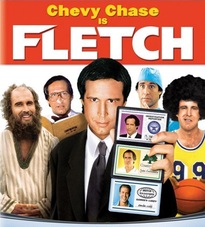
Fletch blu rayDuring his long career, Chevy Chase has been in lots of movies…including lots of really bad movies.

Fletch (1985), however, is not one of the bad ones.

It may not be his greatest movie, or even his second greatest movie, but I think it's got a solid hold on third place.

Many of you reading this probably weren't born when it came out in 1985, or were way too young to have seen it at the time. If so, and if you haven't seen it since, well, you're missing out on what has to be the funniest "newspaper reporter as undercover druggie selected for murder-for-hire scheme which turns into something much bigger" movies ever made. OK, so it may be the only entrant in that category; it's still funny.

Chevy Chase plays Irwin "Fletch" Fletcher, who writes an anonymous column on various subjects for a Los Angeles paper. While undercover investigating drug dealing on the beach, he's offered $50,000 to kill an apparently-healthy, and very wealthy, man.

Suspicions aroused, Fletch starts digging, and what he finds takes him to an upscale country club, to police headquarters and prison, and to and from Utah (a couple of times). The plot line is tenuous (at best), but Chevy Chase carries the movie (yes, I said that) through a series of funny scenarios, improbable disguises, and seemingly ad-libbed dialog. Be warned that if you don't like deadpan, sardonic humor (i.e. Chevy Chase), you probably won't like this movie.

The movie is filled with great one-liners, visual gags, and the cast includes George Wendt (then just three years into Cheers) and Geena Davis (in only her second movie role). There's also a brief but fun cameo from Kareem Abdul-Jabbar, recreating his most-famous movie role.

iTunes StoreAmazonDetailsReviews


Behind the scenes: plug-ins revisited

The last time I redid these pages' appearance, back in 2007, I wrote about the WordPress Plugins and Widgets that I was using to run the site.

After seven years, quite a lot has changed. I've gotten rid of all but one of the items on the original list, and found some very useful new additions that help both me and visitors

From that original list, the one leftover Plugin is Ajax Comment Preview, which implements a true click-to-view comment preview function. The others went away either because I wasn't using them any more (weather in the sidebar, how quaint), or because WordPress' built-in features made them redundant.

Keep reading to see what's keeping the site ticking now…

[continue reading…]


Wallpapers: iPhone 5, 5s, 5c

I created these wallpapers a while ago, but never loaded them to the site. They're all modified versions of photos I used for the wallpapers for the iPad & iPad 2, iPad 3 and newer, and iPhone 4 and 4S. (There's even a small collection of wallpapers for the iPhone 3, 3G, and 3GS, for the nostalgically inclined.)

These wallpapers are 640x1136 pixels in size, and designed for use on the iPhone 5, 5S, and 5C. Note that the images shown in the image sliders below (hover and click to cycle) are low-quality 160x284 JPEG representations of the actual photos; to get the high-quality images, download the entire bundle [37MB] and install only those you wish to use.

Home Screens (5)Lock Screens (23)

License: All photographs in these wallpapers are © Rob Griffiths, and are freely provided for personal use only. You may not include these wallpapers on other sites, nor in any commercial product, without my prior permission. (I hate having to put this here, but prior experience has shown it to be necessary.)


Out with the (very) old, in with the new…

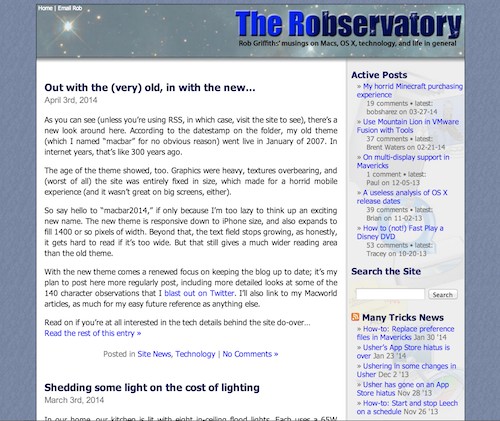
As you can see (unless you're using RSS, in which case, visit the site to see), there's a new look around here. According to the datestamp on the folder, my old theme (which I named "macbar" for no obvious reason) went live in January of 2007. In internet years, that's like 300 years ago.

The age of the theme showed, too. Graphics were heavy, textures overbearing, and (worst of all) the site was entirely fixed in size, which made for a horrid mobile experience (and it wasn't great on big screens, either). As a reminder of the "good old times," click the image at right for a flashback.

So say hello to "macbar2014," if only because I'm too lazy to think up an exciting new name. The new theme is responsive down to iPhone size, and also expands to fill 1400 or so pixels of width. Beyond that, the text field stops growing, as honestly, it gets hard to read if it's too wide. But that still gives a much wider reading area than the old theme.

With the new theme comes a renewed focus on keeping the blog up to date; it's my plan to post here more regularly post, including more detailed looks at some of the 140 character observations that I blast out on Twitter. I'll also link to my Macworld articles, as much for my easy future reference as anything else.

Read on if you're at all interested in the tech details behind the site do-over…
[continue reading…]


Disney does digital right with ‘Frozen’ Blu-ray

Macworld logoI was pretty happy with how Disney handled digital copies on their Frozen Blu-ray:

What with the recent Veronica Mars/UltraViolet debacle, you might think all studios still live in the dark ages, and just don’t get it. Thankfully, as I discovered with my purchase of Frozen—the kids’ “Dad, you gotta buy it!” movie of the month—not all studios opt for such an anti-consumer path.

Frozen is available for purchase via iTunes as well as traditional retailers. At the time I bought, iTunes was asking $20 (with iTunes Extras included), which is the same price BestBuy was asking for the Blu-ray + DVD + Digital Copy bundle.

Read the rest on TechHive.


Shedding some light on the cost of lighting

In our home, our kitchen is lit with eight in-ceiling flood lights. Each uses a 65W incandescent bulb, and it seems to me that at least one of them is burned out at any given point in time.

Frustrated by the never-ending replacement cycle, and aware that there were longer-lived and more-efficeint options out there, I decided to look into replacing the incandescent bulbs with either CFL (fluorescent) or LED lights.

I was curious as to whether CFL or LED would be the better option for us, and how much it would cost to switch, in both the short and long term.

tl;dr summary: If you can afford the up-front costs, switch your lights to CFL or LED now. You will save a lot of money, and spend less time replacing bulbs. Read on for a full cost analysis of my kitchen light replacement project.

[continue reading…]


Sugar detox: Day three

Day three is nearly done; the meals today were scrambled eggs for breakfast, leftover chicken with broccoli for lunch, and for dinner, I splurged on a nice steak with some steam cauliflower. Water all around, of course.

Day three was easier than day two in some ways, but harder in other ways. It was easier in that I had fewer all-out sugar cravings, which was a nice change. On the other hand, it was harder because of monotony. And really, looking back on the three days, that's the biggest challenge: eating according to the very-limited three-day "no sugar at all" diet is just really, really boring, which makes it hard to keep going.

[continue reading…]