Skip to content

Use SQL to show MySQL tables in decreasing size order

Earlier today, I noticed that the robservatory database was massive—over 1GB in size, which it shouldn't be anywhere near (it's usually around 100MB). This is over the database size limit at my host, so I couldn't add any new content (nor could visitors comment, create accounts, etc.)

My host offers phpmyadmin acccess, so I connected to the database to try to figure out what was going on. Using phpmyadmin, you can browse tables, perform SQL commands, and export and import data—it's a must-have tool for managing remote databases.

The first challenge was to figure out which table was causing the problem. To help with that, I wanted to see which WordPress tables were the largest, as that should be a good hint. A web search found lots of possible solutions, but I liked this one the best. Within that thread, I slightly modified one of the queries to do what I wanted:

[continue reading…]


Kitchen upgrade: Sliding shelves

  • Home

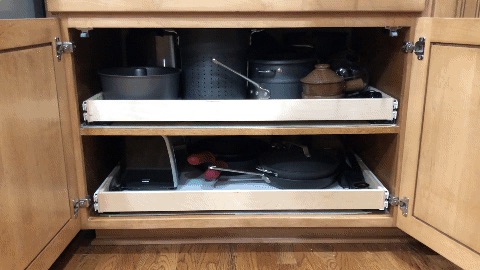
Over the years we've had our home, we've added some pull-out shelves to some of our lower kitchen cabinets. These work great in the narrower cabinets, making it easy to get to stuff in the way back. However, in wider cabinets, if you use two of the sideouts side-by-side, you give up a fair bit of space due to the sliders and baskets. And we seem to need every inch of storage space we can muster.

So I went looking for a full-width solution for our wider cabinets, expecting to have to pay a small fortune for a custom piece. After a lot of time visiting various sites, I decided to try Shelves That Slide, and we're very happy with the results…

[continue reading…]


2018 MacBook Air versus some of its aged predecessors

I recently purchased a new 2018 13" MacBook Air—my first new Mac laptop in over five years. My hope is that this machine can replace two aging laptops: A 2013 13" Retina MacBook Pro (I use this when I want more "power" or screen resolution) and a 2012 11" MacBook Air (I use this when I want portability).

Reviews of this machine are all over the net, so I'm not even going to attempt a full review. If you want an in-depth review of the machine, go read Six Colors' review, or The Verge's review or Wired's review…or just start with Macrumors' round-up of reviews and go from there.

Instead of a full review, I'll provide some brief thoughts on the machine, then move on to my main focus: The performance changes in Apple's smallest laptops from 2012 to today, based on comparisons between my three machines. I was interested in how this would turn out, as the two older Macs are both Core i7 CPUs, versus the Core i5 in the new Air. There's lots out there to read about how the 2018 Air compares to other current machines, or semi-new machines…but I thought it might be interesting to see how performance has changed in five-plus years.

But first, my thoughts on the new Air…

[continue reading…]


A quick-toggle solution for macOS’ translucency feature

Note: This was originally published in 2015; I've updated it with a minor change required for Mojave, and clarified a bit of the text. Further note: There's now an updated script that works in Sonoma.

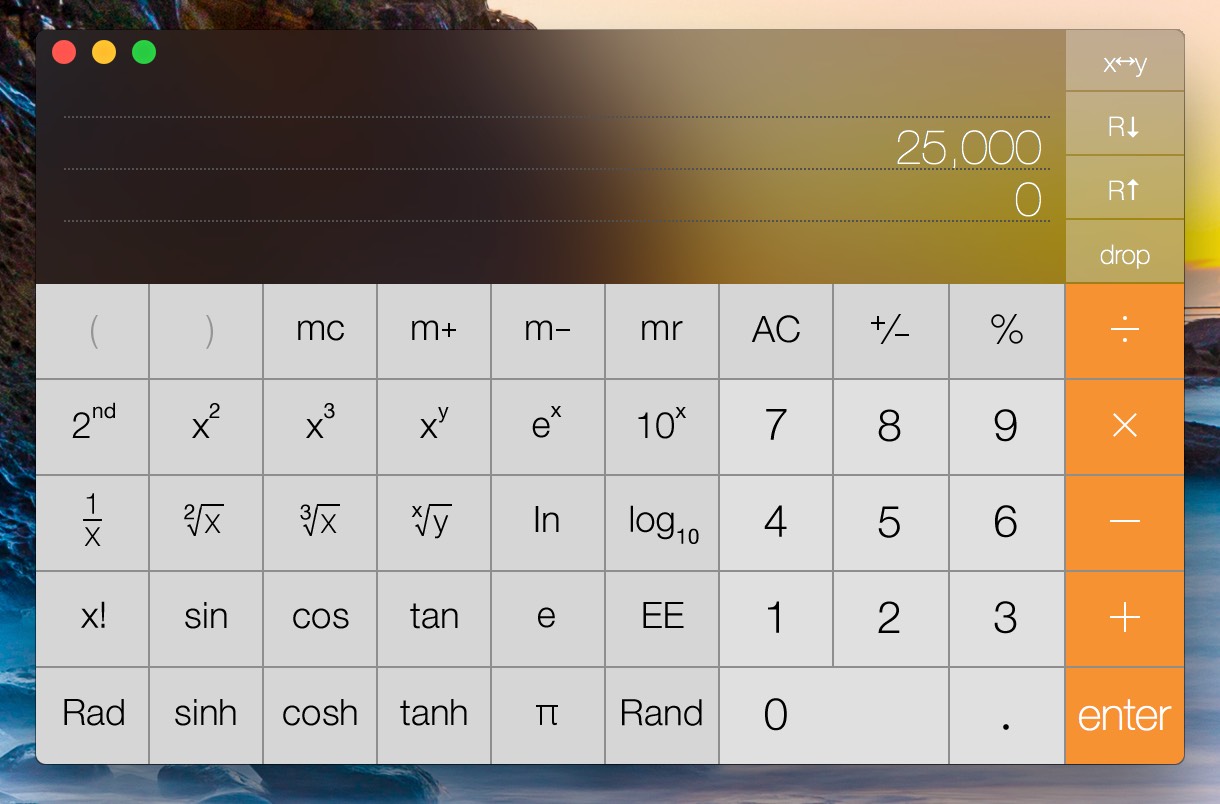
macOS includes—and enables by default—translucency, which gives you 'wonderful' effects such as this in Calculator:

This is just one example; lots of other apps (Mail and Messages, to name two) contain panes that become grossly distorted by background color bleed-through. I'm not sure who at Apple (Marketing?) thinks this feature is good for productivity , but I find it completely distracting.

As a result, I turn off translucency on every Mac I own. You can do so yourself in System Preferences > Universal Access > Display. Just check the Reduce transparency* box, and you won't get any more bleed-through. (You'll also get a solid Dock, and perhaps the world's ugliest Command-Tab task switcher. Such is the cost of usability.)

* It's ridiculous that Apple calls this transparency, which is defined as "the condition of being transparent," and being transparent means being see-through, clear, invisible, etc. This is clearly translucency, or "allowing light, but not detailed images, to pass through." But I digress…

However, when writing for Many Tricks or Macworld, I often need to take screenshots. And because most users won't disable translucency, I prefer to take those screenshots with translucency enabled, so that they're closer to what most users might see. That means a trip through System Preferences to toggle the checkbox, which gets annoying after the second or third time you've done it.

There had to be an easier way—and after some missteps, I eventually found it.

[continue reading…]


How to add fixed headers to a variable-width table

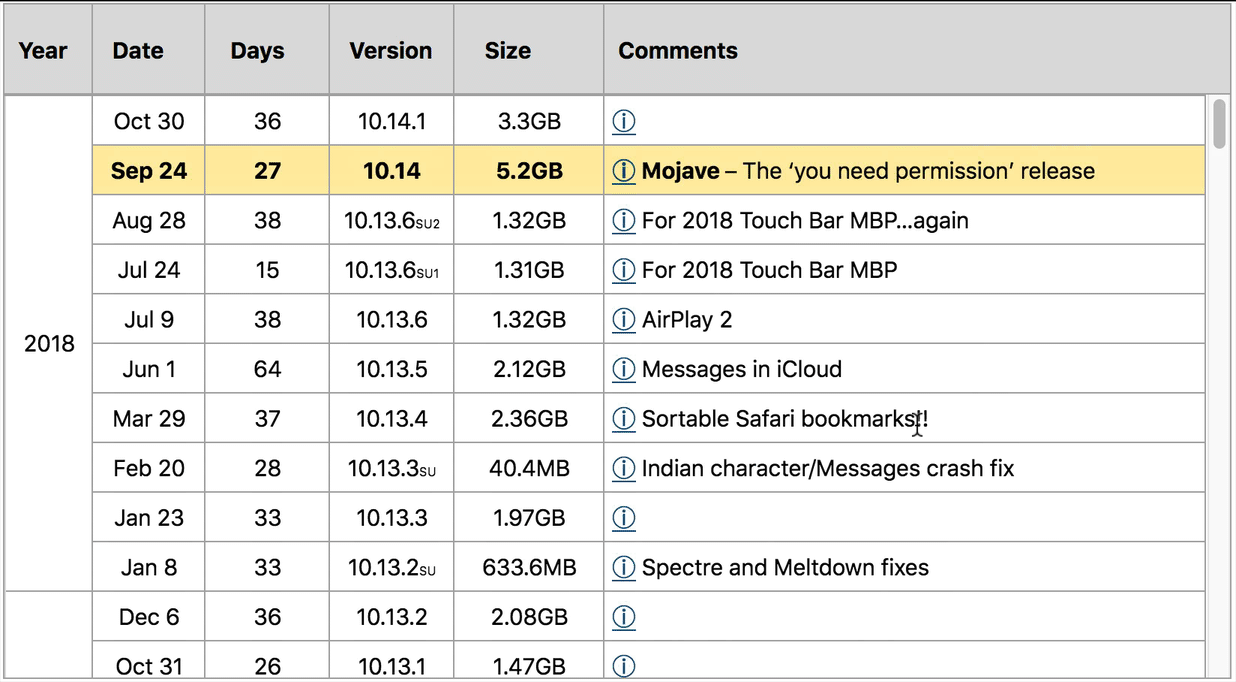
I've been updating my A useless analysis of macOS (OS X) release dates post for nearly 13 years now (OMG). Over the years, the one thing that's bugged me was that I couldn't find a good way to have fixed column headings on that post's incredibly long scrolling table.

I'd search occasionally, and find various solutions—some using two tables, some using JavaScript, some using pages of CSS, etc. But either I couldn't get them working, or they didn't work with variable-width tables, or they didn't seem worth the effort it looked like it would require to make them work.

But now…

Hooray for fixed headers! Read on if you'd like to use this trick yourself…

[continue reading…]


So you say you want to buy a boat…

About eight years ago, we had the same thought, though we knew almost nothing of boating and ownership, other than we had fun when we went out on some friends' boats. With some friends of ours (a family of four with similarly-aged children), we went looking for a family boat that would handle at least 10 people, have plenty of space for everyone to relax, and be capable of towing various water toys for the kids.

Our plan was to buy the boat together, and split the expenses 50-50. After much searching, this is what we wound up with…

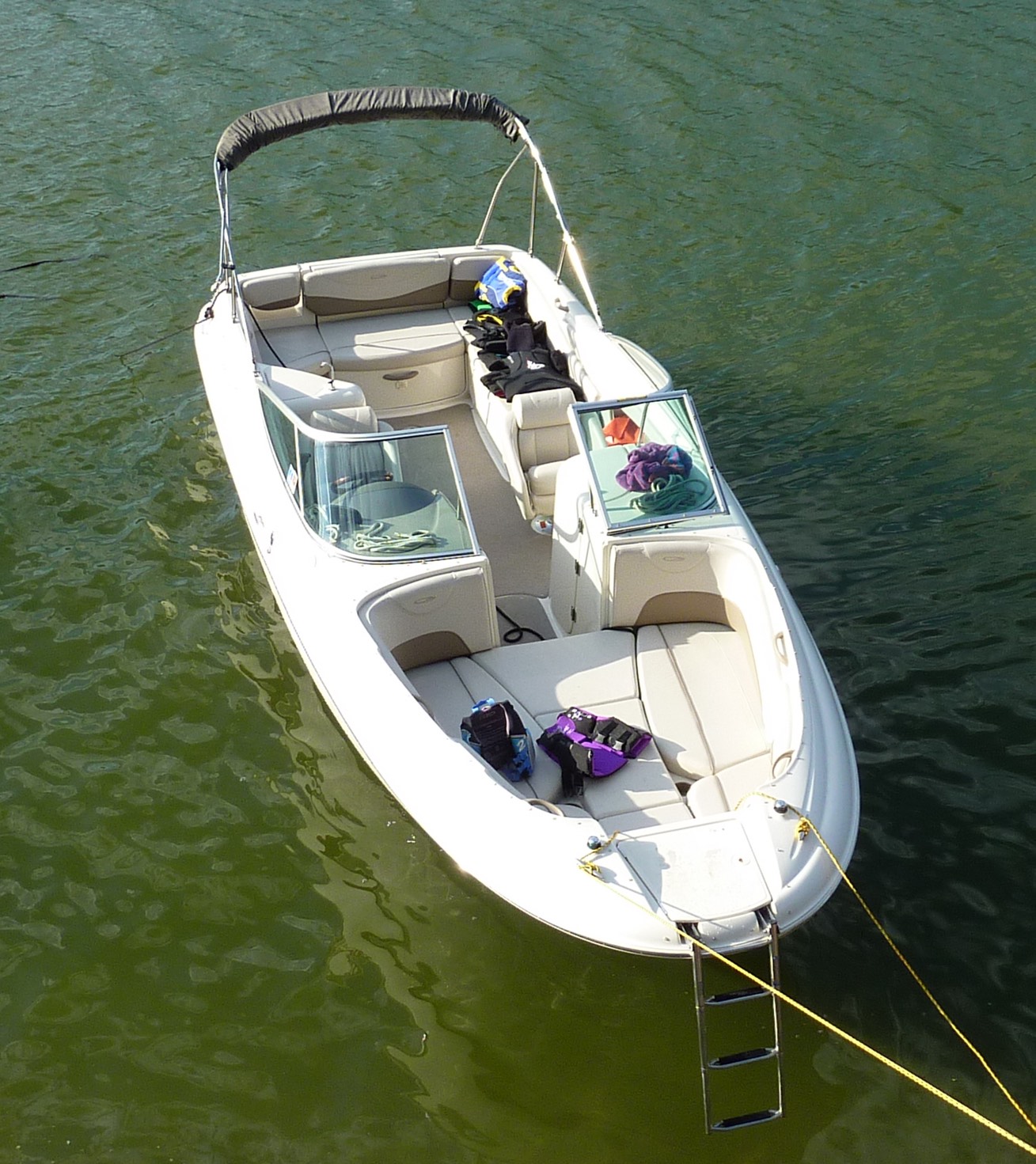
That's a 2002 Maxum 2400SD, a 24-foot-long (more like 27 with the swim platform) family cruiser of a boat. Although old in calendar years, the boat had a brand new engine, and appeared to be in good shape. (Maxum was a Brunswick brand; they also own Sea Ray. Brunswick discontinued the Maxum line in 2009.)

One of the things we had trouble finding before we bought our boat was information on actual real-world costs: Just how much money will you spend not just to buy, but to use and maintain a power boat? To help others who may have similar questions, I'm going to share our actual costs from seven years with our boat. If you're thinking of getting into boating, perhaps some of this cost information may be useful.

[continue reading…]


My iPhone 8 Plus might be my last iPhone

I know, clickbait headline, but really, it's how I've felt since the release of the iPhone X, and still feel today. And no, this isn't about switching to Android. It's about not buying a newly-designed iPhone. Why not? Two reasons…

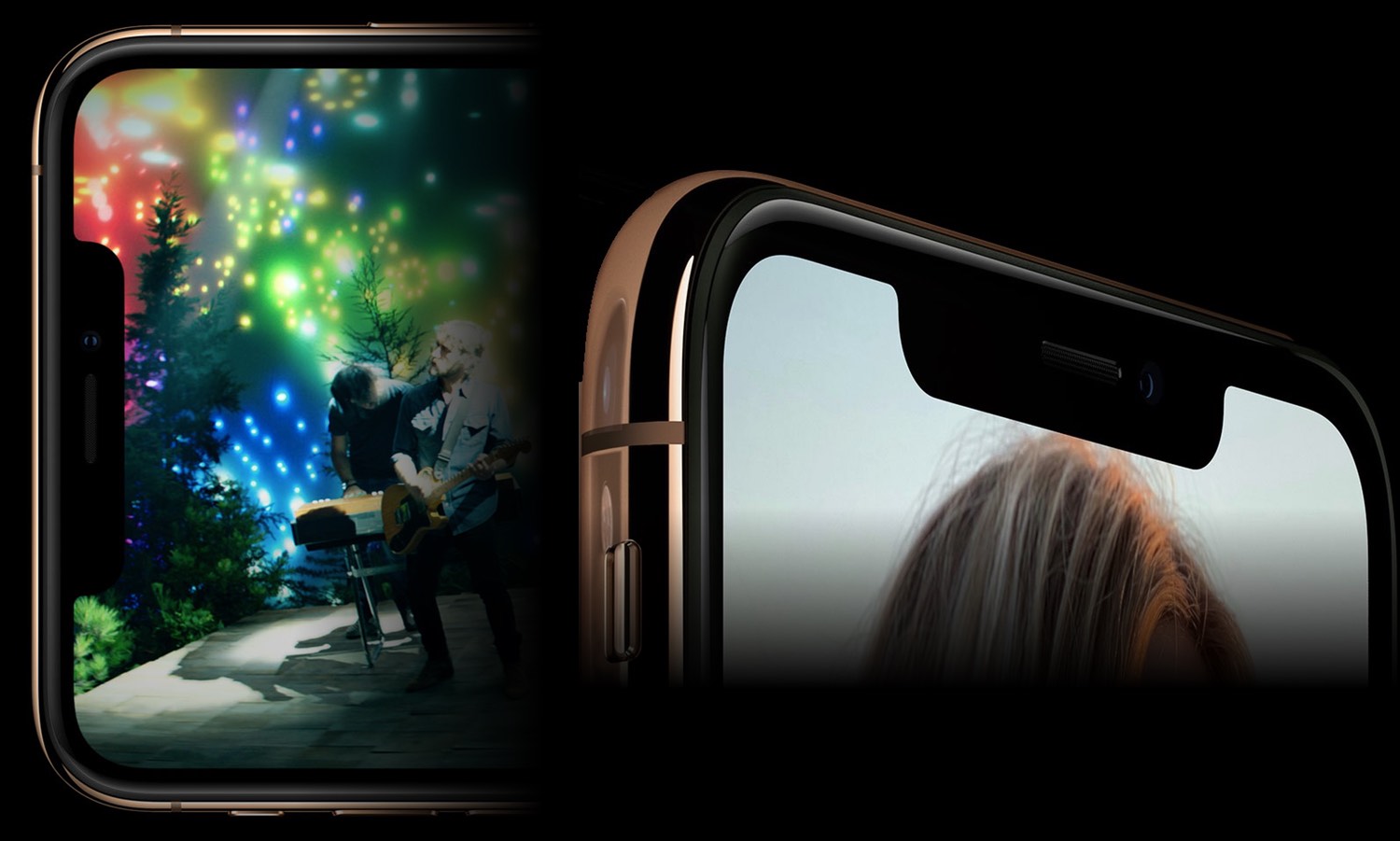
The Notch

The notch adds nothing to the iOS experience, but takes away much. Those stupid ears grab my eyes every time I see them, and there's no way to avoid them, save never using anything but an all-black screen. When not in an app, they show status items on a black background, which is fine…as long as your iPhone's wallpaper is also black.

But once you're in an app, you're in Notchville…

[continue reading…]


Someone intercepted my login info in DirecTV’s iPhone app

This morning, I launched the DirecTV app on my iPhone (connected to my home network via wifi).

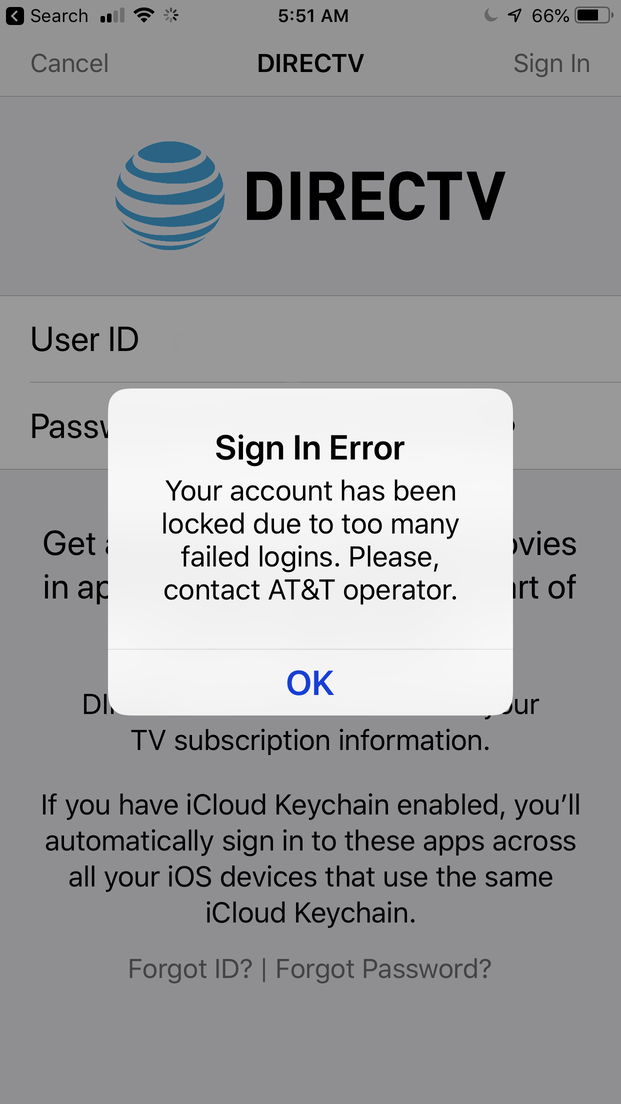
On launch, I saw a login screen that looked slightly different than usual; the app had been updated recently, so I assumed it was the new login screen. But when I entered my user name and password (on the first attempt), I saw the screen to the right…

At this point, alarm bells went off. Not just because it was my first attempted login, but also due to the grammar of that last sentence:

"Please, contact AT&T operator."

That's wrong in many ways—and there's no provided method for contacting an AT&T operator. I now believed I had been scammed: Somehow, a fake login page was injected where the app would normally display its login screen. As soon as I pressed Enter after entering my password, I'm sure my username and password were sent off to some server somewhere.

I immediately opened the DirecTV web site on my Mac, logged in (using my supposedly-locked account and current password), and changed my password. That all worked, and I received the email stating I'd changed my password, so I'm pretty sure my account is fine. (And I use unique passwords for each service, so the one that was probably compromised is useless to the hackers.)

But the bigger question here is what happened and how did it happen?

[continue reading…]


2011 pocket camera vs. 2017 iPhone 8 Plus

While working on some photos this weekend, I noticed that I'd taken two nearly-identical photos of the Enola Gay at the Steven F. Udvar-Hazy Center—nearly identical, but separated by four years:

Click once for larger, then click the icon in the upper right of the pop-up for largest vesrion.

The left image was taken in 2014 with a 2011 Pansonic Lumix DMC-ZS10 pocket camera (specifications); the right image was taken in 2018 with my 2017 iPhone 8 Plus. (Interesting to note that I didn't bring my DSLR on either trip…the best camera is the one you have with you, right?)

Neither of the above images has been edited, beyond whatever algorithms the cameras use when saving the photo. Frankly, I was amazed at just how much better the iPhone 8 Plus photo is compared to the one from the Lumix: The Lumix photo is skewed heavily blue, edges aren't well defined, and detail in shadow areas is obscured. The iPhone's image is perhaps just a bit towards the yellow end of the spectrum, but it's miles better than that of the Lumix.

[continue reading…]


Classic cars and one big dam thing

I've been away from home for nearly a month—first a couple weeks in DC to visit family, then off to Las Vegas with our APA 8-ball pool team for the World Championships. We did reasonably well, winning four matches and finishing in the 65th to 128th place bucket. (It's a huge tournament, with 713 teams this year, so not every place is played out.)

Because of the uncertainty of when we'd be finished in the tournament—it's a modified double-elimination, so you're guaranteed two matches, but nothing more—I chose to drive, so I could leave as soon as we were finished. (Also playing into my decision was the fact that I was leaving from south of Bend, Oregon, which isn't really convenient to flying to Las Vegas—I'd either have a one-hour drive to an airport followed by a flight to Seattle and a layover, or a four-hour drive to Portland for a direct flight.)

I'll have more to say on the road trip in a future write up, but thought I'd take a minute to share some photos I snapped during the journey. None of these are edited at all; I haven't had the time; they're all direct from the camera, my Nikon D5500 (though there is one iPhone panorama).

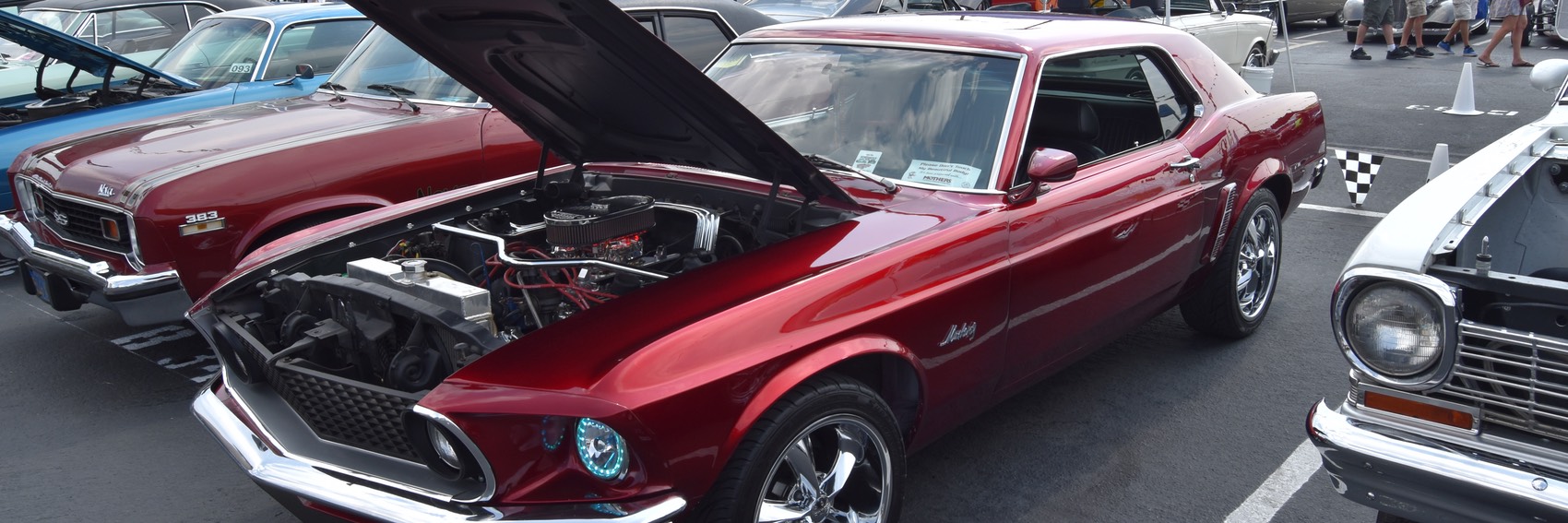
First, in Reno, I stumbled across this fantastic exhibition of classic cars. Although it was really warm out, it was well worth walking through this collection of gorgeous cars. There was a bit of everything there—true classics, kit cars, semi-modern cars, and even a few race cars.

Classic Mustang in Reno

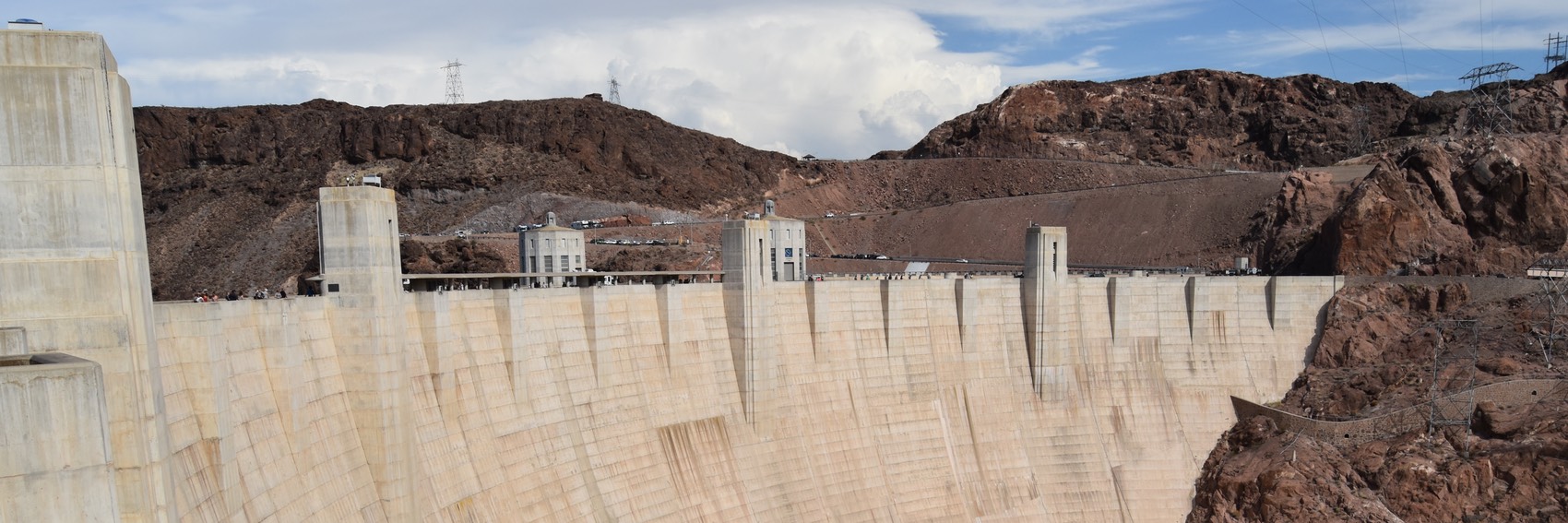
Once in Vegas, on our one day off, we drove out to Hoover Dam, drove across (which I didn't think was allowed any more, after the opening of the Hoover Dam Bypass, but it was), then parked and explored for a bit. I snapped a bunch of pictures, none of which reveal just how mind-numbingly hot it was outside. They also, as always, fail to capture the sheer size of the dam and the vertigo you experience when peering over the edge. It really is worth the visit if you're in the area. (The tour is highly recommended, too; we just didn't have enough time.)

Hoover Dam

In all, it was a great trip, and hopefully we do well in league this year and get to go back again next year!