Skip to content

Technology

Entries related to techology in general…

Wireless routers vs. wireless charging

I recently made a snarky tweet about wireless charging:

If you're going to advertise "wireless charging," shouldn't you really offer wireless charging, not "wires to another device charging?"

I've had a few responses along the lines of "well, wireless networking still needs wires, and nobody complains about that!" While this is true, there's a key difference at work here.
[continue reading…]


My horrid Minecraft purchasing experience

Summary version: I bought the Mac version of Minecraft via credit card. This led to my card being put on a fraud hold, and the company that handled the charge asking me to provide personal and private information via email. Ergo, my recommendation: do not use a credit card to purchase Minecraft.

Updated on Sept 5: Skip to the end to see Skrill's response to my refusal to provide identity theft documents.

Detailed version: Recently, my daughter started playing Minecraft with a friend of hers. At first, the iOS version was all she wanted to use, and she played that for quite a while. But then her friend upgraded to the desktop version, and after some discussion with her and figuring out how she could help pay for it, we agreed to buy the Mac version.

So I went to the Minecraft site, and followed the steps to pay by credit card. When you do so, your payment is handled by a company named Skrill (previously Moneybookers). Googling on either of these will provide some interesting tidbits, such as default opting-in customers to casino partners and their blocking the WikiLeaks donation site. I only wish I had Googled before I purchased. In my defense, it's only noted in a small line at the bottom of the payment screen:

If I had gone my homework ahead of time, I would've switched to PayPal, but I didn't.
[continue reading…]


Wallpapers: iPad 3 and newer

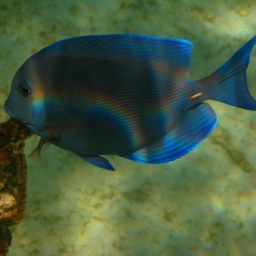
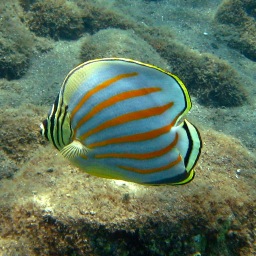
The following wallpapers are 2048x2048 pixels in size, and designed for use on third-generation iPads ("the new iPad"). Note that the images shown in the image sliders below (hover and click to cycle) are low-quality 256×256 JPEG representations of the actual photos; to get the high-quality images, download the entire bundle [29MB] and install only those you wish to use.

Home Screens (5)Lock Screens (24)

License: All photographs in these wallpapers are © Rob Griffiths, and are freely provided for personal use only. You may not include these wallpapers on other sites, nor in any commercial product, without my prior permission. (I hate having to put this here, but prior experience has shown it to be necessary.)


Wallpapers: iPad and iPad 2

The following wallpapers are 1024x1024 pixels in size, and designed for use on the first and second generation iPads. Note that the images shown in the image sliders below (hover and click to cycle) are low-quality 256x256 JPEG representations of the actual photos; to get the high-quality images, download the entire bundle [9MB] and install only those you wish to use.

Home Screens (8)Lock Screens (30)

License: All photographs in these wallpapers are © Rob Griffiths, and are freely provided for personal use only. You may not include these wallpapers on other sites, nor in any commercial product, without my prior permission. (I hate having to put this here, but prior experience has shown it to be necessary.)


Wallpapers: iPhone 4 and iPhone 4S

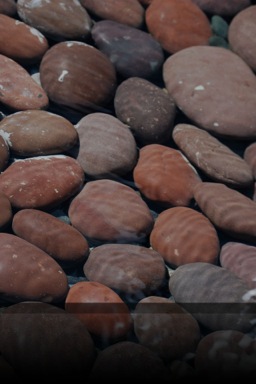
The following wallpapers are 640x960 pixels in size, and designed for use on the iPhone 4/4S. Home screen images feature a slightly darkened navigation bar (where the paging dots appear), along with a fade-to-darker gradient in the Dock area below the navigation bar.

Note that the images shown in the image sliders below (hover and click to cycle) are low-quality 256×256 JPEG representations of the actual photos; to get the high-quality images, download the entire bundle [6MB] and install only those you wish to use.

Home Screens (9)Lock Screens (32)

License: All photographs in these wallpapers are © Rob Griffiths, and are freely provided for personal use only. You may not include these wallpapers on other sites, nor in any commercial product, without my prior permission. (I hate having to put this here, but prior experience has shown it to be necessary.)


A Rube Goldberg-inspired garage parking assistant

We recently started parking our truck in the shorter of our garage bays—it's short due to shelves at the front that can't be moved any further forward (as they'd then block access to another portion of the garage).

The amount of wiggle room available is quite small—about two inches of leeway, at the most. So parking in the same spot every time is quite important. (The frontmost item on the truck is the bracket that holds the license plate, so that's the part that needs to be watched.)

While there are many ways to solve this issue, here's how I chose to do it:

Sure, I could have hung a tennis ball from the ceiling (I did that first, actually), or put a block on the ground in front of the tire. But I had issues with both of those methods, and I like semi-geeky do-it-yourself solutions. Read on, if you wish, for the details on the project…

[continue reading…]


Troubleshooting a Mac CD tray that won’t stay closed

Recently, I placed my Mac Pro up for sale, both on the net in general and on eBay. The eBay auction closed with a successful bidder, so yesterday, I went to prep the machine for shipping. After wiping the drives and reinstalling OS X, I had but one thing to do: solve a small but annoying problem with one of the two installed disc burning SuperDrives (name used for simplification; one was an actual SuperDrive from Apple; the other a multi-format burning drive from Sony).

The stock drive, which I had mounted in the lower slot, worked fine. So did the after-market upper drive, as long as there was a disc in the slot. If I ejected the disc and then closed the tray, the drive would grind for a few seconds, then eject. It would then stay ejected for a few minutes, until (I believe) OS X noticed it was open. It would then close, and the grind-eject cycle would repeat.

I'm posting the sordid details of my experience in case anyone else is looking for help with a CD/DVD tray that won't stay closed on their own OS X machine; perhaps it'll show up in a Google Mac-specific search at some point in the future. Read on for the details…
[continue reading…]


How to not upgrade to iOS5

If you follow me on Twitter, you're probably familiar with my iOS5 installation difficulties. Two days into the process, and I've still not been able to update either my iPad (first generation) or iPhone 4. This is—by far—the most frustrated I've been with any Apple upgrade, ever…and that covers a lot of history!

Simply as a means of venting, and perhaps to save someone else from going through what I've gone through (though note that I haven't yet solved the problem), here's what I've gone through to try to upgrade my iPhone and iPad.

Update: On my 48th attempt, my iPhone 4 successfully updated to iOS5. Now, on to the iPad…

[continue reading…]


11.6″ MacBook Air: Who needs a netbook?

As I'm really enjoying my new 11.6" MacBook Air, I thought it might be interesting to compare it with some other portables I currently own. Specifically, I wanted to compare the Air to my previous fave ultra-portable Mac (the 12" PowerBook G4), a Dell Mini 10 running Mac OS X, and my current fave Mac laptop, the high-res anti-glare 15" MacBook Pro.

What follows isn't a comprehensive set of benchmarks done under controlled conditions. It's more of a quick look at performance (and measurements and specifications) across a series of machines, three of which can be considered "ultra portables."

Read on for the table...

[continue reading…]


My new favorite (for now) laptop Mac

A while back, I tweeted that my new MacBook Pro was my fave-ever portable Mac—this despite having only used the machine for under two weeks at that point. A few people asked me "why your fave-ever?," so I thought I'd use those queries as an excuse to post here on my near-silent blog.
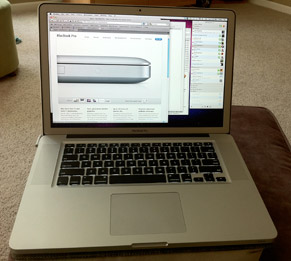
The specific machine in question is a 2010 15" MacBook Pro with the 2.66GHz Core i7 processor, 4GB of RAM, and (when new) a 5400rpm 500GB hard drive...and, oh yes, the single most important spec: the anti-glare 1680x1050 high resolution screen.

This machine replaced a 2008 MacBook Pro (last of the non-unibody laptops) with a 2.66GHz Core 2 Duo, 4GB of RAM, and a 7200rpm 200GB hard drive (and the only screen at the time, the standard 1440x900).

Comparing the two, the only area where I gave up anything at all was in the hard drive's speed. I took care of that problem by installing a new Seagate Momentus hybrid hard drive, the 500GB version, to be exact. (A hybrid drive is one that combines a small solid state drive—4GB in this case—with a traditional drive, and then uses its firmware to optimize performance on the fly. For more on the Seagate hybrid drive, see this excellent article at Anandtech.)
[continue reading…]