Skip to content

General

Stuff that doesn’t fit in any other category

My macworld.com content finally cross-referenced

Macworld logoOne of the challenges in keeping this blog going with fresh content is my employment situation. As someone who is paid to write about the Mac, OS X, and all things even vaguely related to those two subjects, my first obligation for article ideas in those areas rests with Macworld. So when I think of something I'd like to write about, I discuss it with our online editor, and he makes the call as to whether or not he'd like to run it on macworld.com. If he doesn't want it, then I'm free to post it here on my personal blog. This has worked out quite well over my first 18 months with Macworld, except that it turns out that nearly every idea I've had for a story has been picked up by macworld.com :). Hence the sporadic nature of the posts here on robservatory.

I had always intended that I'd publish a pointer here to any articles (outside of my thrice-weekly OS X tips column and the occasional product review) on macworld.com, as a way of providing at least some content here (as I know not everyone reads macworld.com regularly). However, despite my best intentions, I've only been moderately successful at cross-referencing...so I decided to finally get serious about it this weekend.

After a bunch of copy-and-paste work between robservatory and macworld, I think I'm finally caught up. I've created a new category here to track my macworld.com posting activities. Somewhat obviously, I've named the new category Macworld, and you can see all 31 entries by simply clicking on Macworld in the category list--or just click here if you want to save the mouse travel.

Having now gone through this painful exercise, I promise I will be more diligent about immediately updating robservatory whenever something of mine hits the Editor's Notes blog section over on macworld.com.



All-new G5 chassis spacer now available!

In the midst of swapping my Dual G5 for the Mac Pro that Macworld so kindly decided to provide for my use (read my three-part hands-on report at macworld.com), I ran into a bit of an issue: I have an external DVD burner that I wanted to position on top of the G5. However, the front handle on the G5's case prevented the burner's drawer from opening. What I needed was some sort of spacer to lift the burner up above the handles.

After digging around in the office for a bit, I found the perfect solution:

spacer

That's right--a leftover copy of my book, Mac OS X Power Hound: Panther Edition. Now I happen to know that there are only many thousands of copies left at Amazon, so if you own a G5 and you've been trying to find that ideal spacer on which to place an external CD-R or DVD-R, look no further! And even though the book only covers up through 10.3, most of the tips will still work on 10.4, should you happen to actually want to read the thing. Of course, you'll be on your own as to figuring out which work and which don't, but heck, that's half the fun!

Act now, and give the official Cheese Grater Chassis Spacer Book to all your G5- and Mac-Pro-owning friends for Christmas! That's right, this book is Universal; it works equally as well on the new Intel-powered Mac Pros as it does on the older Power PC G5 machines!

(Note: This is completely tongue-in-cheek, of course. I just found it funny that the book was exactly the right height for the job, and it clearly wasn't doing me any good sitting on the shelf.)


Scuba diving photo albums

While on the MacMania V Geek Cruise last week, Macworld published a brief photo album of our scuba diving day in Belize. However, due to the connection speed on the boat, those images are both small and of low quality.

Now that I've had a bit of time at home, I put together some larger albums, with higher-quality 800x600 images. I created a separate album for each of our dive days along with a Google Earth placemark file that shows the approximate dive site for each day:

I've had a few emails asking to see more pictures, so here they are. Please keep in mind I'm a rank amateur at this--what you're seeing here are literally my second and third attempts ever at underwater photography.

A few people have asked about the technology for such images, which were shot at depths ranging from 30' to 90'. The setup is amazingly simple—I have an underwater housing, good to 100' or thereabouts, for our aging Canon PowerShot S30 (there's a shot of the housing in that review).

I use the built-in flash, get as close as possible to the object, and rely on the LCD viewer to frame the picture, as there's no way to use a viewfinder while wearing a dive mask. Bring spare batteries and an extra RAM card (change both between the two daily dives), shoot a ton of shots (as you can never be quite sure what you'll get), and make sure the flash is set to always go off.

The above 35 or so "best of" shots represent about 28% of the 125ish images I shot on the two dive days--ah, the joys of digital photography. There's no real "cost" for taking a bad shot, beyond a bit of RAM card space and battery usage.


Swimming pools, high winds, and waves

Ah, it's nice to be back home on solid ground again! After over 5,000 air miles and 1,800+ nautical miles in the last 11 days, I returned to Portland yesterday. All in all, I'd have to say my first cruise experience was more fun that I was expecting it to be, and it was great meeting a bunch of Mac users in a relatively informal setting (and in a small group, so there was lots of time to talk to everyone). You can read all about the journey on Macworld's MacMania blog page, where both Dan Frakes and I posted lots of text and images over the course of the week.

I thought I'd post a couple movies here, though, as they're not really part of any of the blog content we worked on for Macworld. During the last 30 hours or so of our cruise, which was spent crossing the Gulf of Mexico from Costa Maya back to Tampa, we were in some amazingly strong winds--over 40 knots coming from just off the bow! Couple that with 20 knots of boat speed, and the effective wind on the deck was about 60 knots. I walked to the rail on the forward deck at one point, and it was quite the experience (walking back to the stairs from the rail, with 60 knots pushing from behind, was most interesting).

But I thought you might find it interesting to see what that kind of wind (and the accompanying rough seas) did to the pools…

Despite how things seem in those movies, the boat was amazingly stable during the windstorm. You could feel it moving a bit, but there wasn't ever a point where I felt it was moving too much to walk around. It takes quite a lot to move 55,000+ tons of vessel enough to really disturb one's walk, it seems.

I'm signed up for another "tour" on MacMania VI, headed up the inside passage to Alaska from Seattle in late May of next year. I'll be talking about (at least) Leopard in a couple of sessions, and I'm really looking forward to it--although I doubt we'll be doing any scuba diving on that trip!


Geek Cruise: MacMania V

Macworld logoFellow Macworld Senior Editor Dan Frakes and I have just returned from a week on a Geek Cruise in the western Caribbean. We both wrote quite a lot, and took a bunch of pictures. So instead of linking to a huge collection of articles, I'll just link to the two relevant sections on Macworld's site, where you can find everything: the MacMania archives for October 2006 and November 2006.
Macworld's site has changed over the years, and there's no longer a section for each cruise. So here's everything from this trip that I was involved with:

Separately, I posted some of my scuba diving pictures from the trip here on robservatory.com.


Roller coaster fun in Tampa

As the six of you who still read my too-occasional postings here may already know, I'm speaking on a Geek Cruise this week, on a ship sailing through the western Caribbean. When I found out that I would be doing this, my wife and I decided to try to turn it into a bit of a working vacation. We arranged to have our children spend the week with family, which let us book our first trip together sans kids in 3.5 years.

Marian and I are both roller coaster fans, and living in the Pacific northwest, we're frustrated roller coaster fans. There aren't any full-size amusement parks in Oregon, and precious few anywhere in the northwest. The closest "real" roller coaster park, at least by my definition, lies 600 miles south in San Jose, California. As such, it had been over six years since she and I had been able to go ride coasters together. But this Geek Cruise, which leaves out of Tampa, Florida, gave us the chance. Tampa is the home of Busch Gardens, Tampa, and they have six separate coasters.

So when we booked our tickets, we left a day earlier than necessary, using a vacation day yesterday to go ride the coasters at Busch Gardens. It wasn't a cheap day, given that we had to take a cab to and from the park, but since it will probably be another five years before this chance comes up again, that's OK. Overall, it was a fun day at the park, though we both felt that only three of the six coasters were worth repeat ride activity.
[continue reading…]


Rest in peace, Digital Bill

I was saddened today to learn of the passing of William Douthett, much better known as Digital Bill from Wizards of Technology. I had the pleasure to meet Bill at Macworld each of the last two years, where he interviewed me for a Wizards podcast. While I can't say I knew Bill well, he struck me as a kind, intelligent, and very Mac-knowledgeable person who also loved technology in general -- and he clearly loved to talk about both subjects. Bill died last Friday of a heart attack at the young age of 47.

As I'm approaching that age in a few years, the news of Bill's passing had quite an affect on me this morning. It served as a reminder that I need to get my butt out of this seat long enough each day to get my exercise done, to try to eat better, and to be thankful for each day I have to spend with my wife and daughters. As someone much wiser than me once wrote (and I'm paraphrasing badly), don't take today for granted as you can never be sure you're going to have a tomorrow.

Rest in peace, Bill; you will be missed greatly by your friends, family, and acquaintances. (There's a memorial fund donation button on the Wizards of Technology page in case you'd like to donate to help cover his funeral arrangements; any excess donations will be given to a charity.)

-rob.


The dealer does the right thing

  • Auto

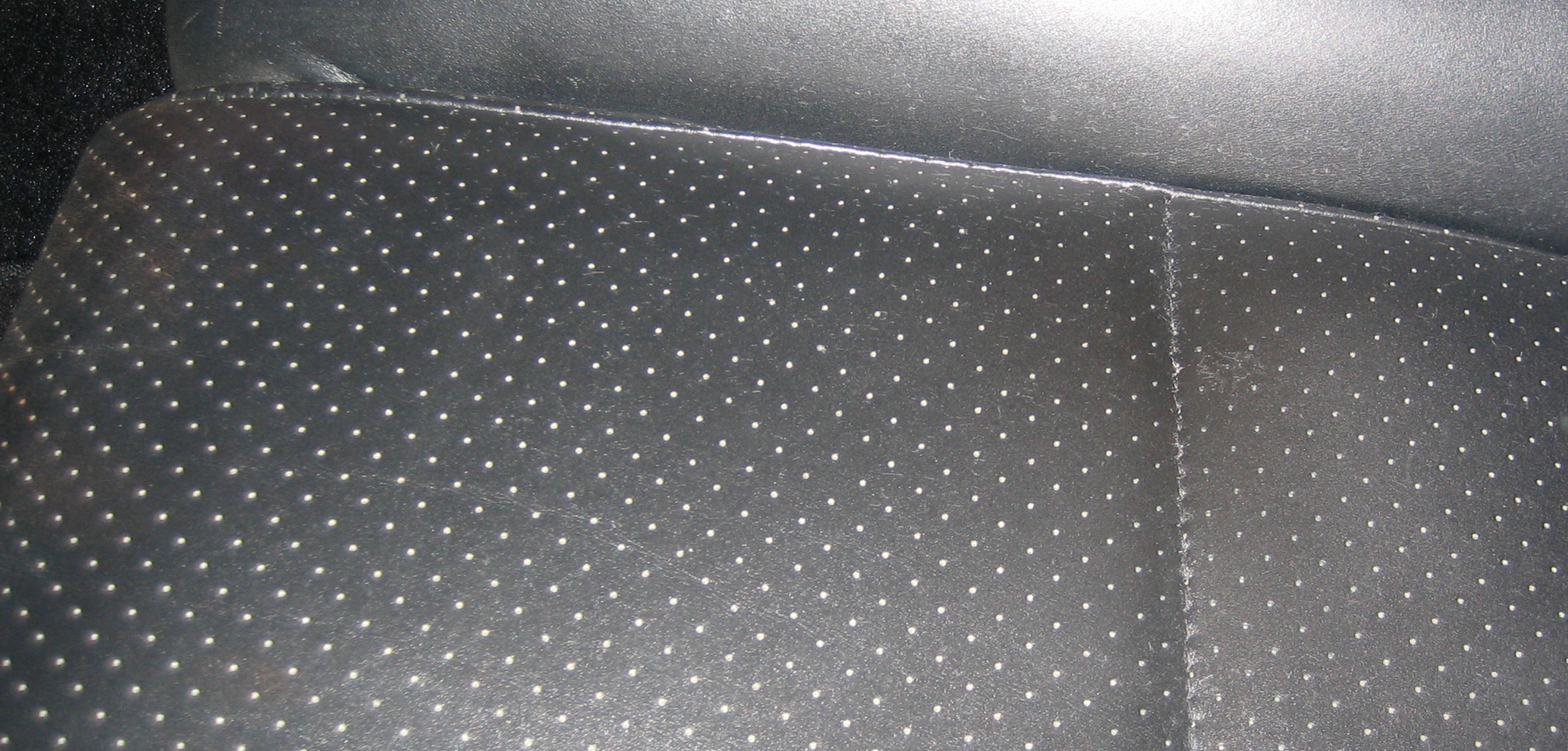
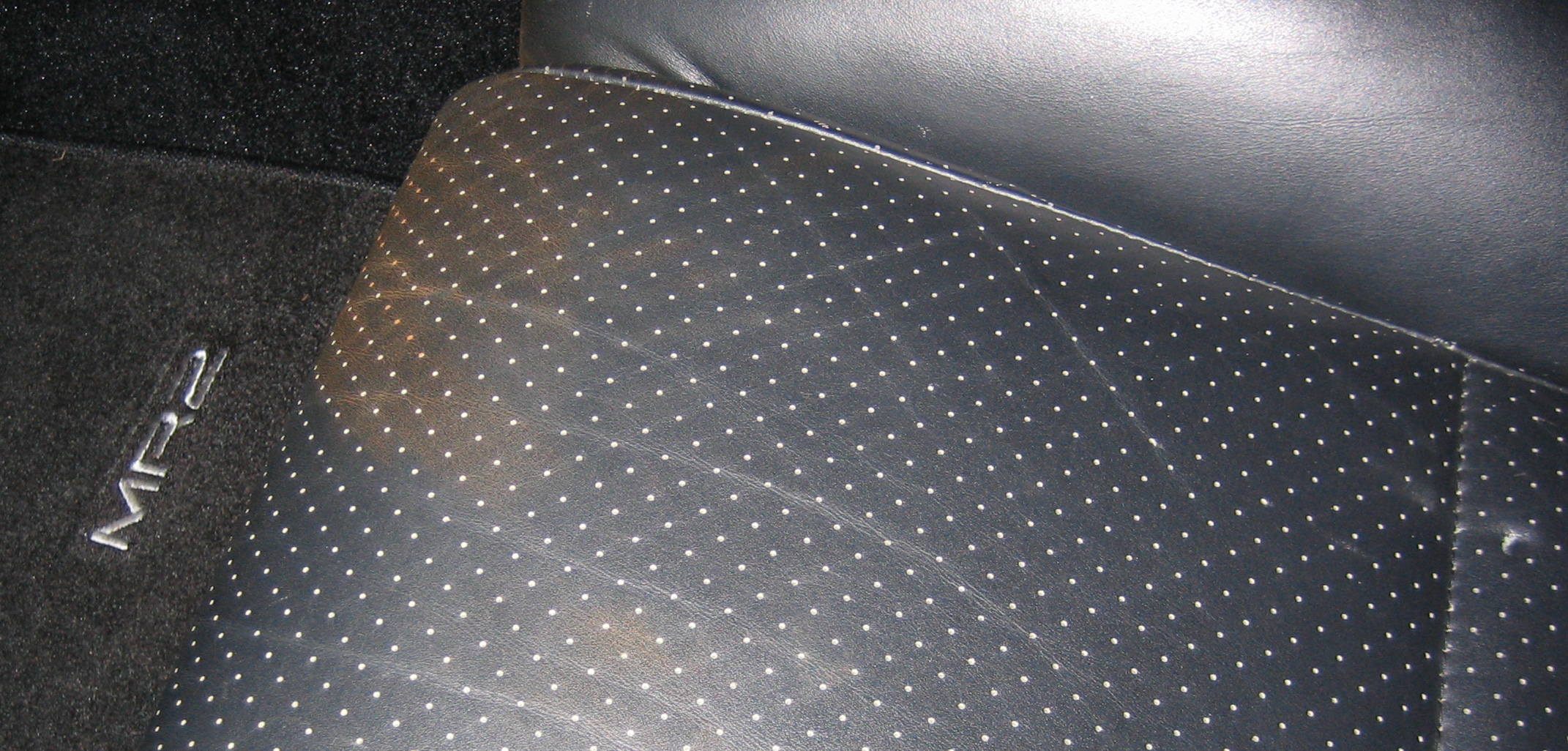
Here's the promised update to the bad auto service call. I took the car back to the dealer last Friday to look at. I was glad I happened to have taken a picture of the passenger seat after purchasing the car--I printed that, as well as new pictures I took of the damaged area, and took printouts with me. The hole in the seat wasn't even an issue; he saw clearly that it was new based on the photos, and they gave me no grief. On the stain, he asked me how I knew it was from the service, as it could have happened any time. I then ran my finger through it, and showed him the still-moist residue that came up with it. That was the end of that; they agreed to repair the seat for no charge.

Repairing perforated leather is far from simple, from what I understand. Our dealer outsources such repairs to a company that comes in once a week, so the car went back to the dealer this morning. When I picked the car up this afternoon, I was duly impressed--although I can see where the repair was made, it really takes a big photograph to make it obvious. From any distance at all, it looks completely normal. Compare the images below; the one on the left is the damaged post-service shot; the one on the right was taken tonight, about 20 minutes ago.

after-small  after-big

Certainly at that size, the repair is invisible. Click the image on the right, though (caution - huge image!), and you can see the fix. It's not nearly that obvious in reality; the flash and close up really bring it out. I was amazed they were able to repair it that well--especially given the age of the leather seats. They also cleaned it up quite nicely. If I look very closely, I can see just a small bit of remaining discoloration, but nothing like what was there before, and there's no more residue when I run my finger across the area.

So thank you, Beaverton Toyota, for doing the right thing, and doing it well. The fact that they have a to/from free shuttle service made taking the car back about as painless as possible, too. Fun fact: the shuttles (Toyota Sienna minivans) serve a 10-mile radius, and they have two of them. Through September, they've racked up a total of 65,000 miles doing nothing but short local-hop round trips!